
UPDATE June 2, 2013: Supports both SharePoint 2010 and SharePoint 2013. Two new features: Email items and open/view attachments.
Working on it: Supports multiple lists.
 One of the best advantage of Windows Phone is the ability to access and edit/add Office documents on SharePoint Online (Office 365) via the Office hub app, a truly great and unique capability of Windows Phone. The Office hub app is built right into the phone so you can easily browse document libraries, open documents, edits and save them back to SharePoint Online. You can even pin a SharePoint site directly to the home screen.
Although the Office hub app working perfectly with document libraries, the integration with SharePoint lists is a bit different. You cannot add/edit list items or pin them to the home screen. Currently lists items are just enumerated and items are always sorted alphabetically by title. Very often users would like to have the possibility to sort by other criteria or fields (e.g. task items need to be sorted by due date and the by important field).
This year on March, Microsoft released the SharePoint SDK for Windows Phone 8, a great opportunity for SharePoint Developers to build apps for Windows Phone. Thanks to this SDK, I built 5 native SharePoint List apps for Windows Phone:


App features:
Use these apps on a Windows Phone
To use these apps you must have a SharePoint site set up in SharePoint Server 2010, 2013 or Office 365 SharePoint Online. Your SharePoint Server must be configured with basic authentication in order to sign in to the apps. (Your system administrator can help you with this)
To connect, type your List Title and your SharePoint site URL
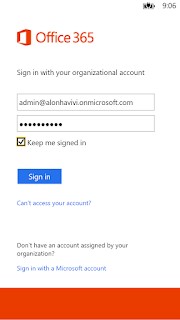
Then sign in with your username and password.

All apps are available for free :-) at the Windows Phone Store as a Windows Phone 7 and Windows Phone 8 version
Enjoy.
Working on it: Supports multiple lists.

Although the Office hub app working perfectly with document libraries, the integration with SharePoint lists is a bit different. You cannot add/edit list items or pin them to the home screen. Currently lists items are just enumerated and items are always sorted alphabetically by title. Very often users would like to have the possibility to sort by other criteria or fields (e.g. task items need to be sorted by due date and the by important field).
This year on March, Microsoft released the SharePoint SDK for Windows Phone 8, a great opportunity for SharePoint Developers to build apps for Windows Phone. Thanks to this SDK, I built 5 native SharePoint List apps for Windows Phone:
- Tasks - List to track information about projects and other to-do events for your team
- Calendar - List for all of your team's events
- Announcements - List to share news
- Issue tracking - Use an issue-tracking list to store information about specific issues
- Contacts - Use the contacts list to store information about people or groups that you work with.
App features:
- » View/Edit/New/Delete items
- » Live tile information (except Contacts app)
- » Set item limit
- » Sorting - determine the order in which the items in the views are displayed
- » Take a picture (or select a file) and Upload it
Use these apps on a Windows Phone
To use these apps you must have a SharePoint site set up in SharePoint Server 2010, 2013 or Office 365 SharePoint Online. Your SharePoint Server must be configured with basic authentication in order to sign in to the apps. (Your system administrator can help you with this)
To connect, type your List Title and your SharePoint site URL
Then sign in with your username and password.


All apps are available for free :-) at the Windows Phone Store as a Windows Phone 7 and Windows Phone 8 version
Enjoy.